
 雷科技





“You can’t optimize for both.”
Back in 2016, Phil Schiller, then Apple’s Senior Vice President of Worldwide Marketing, told WIRED in an interview that adding touch support to the MacBook would create inconsistent interactions across desktop Macs. Redesigning the menu bar for finger input would also degrade the experience for mice and trackpads.
In short, he argued this approach of catering to two forms of input was chasing the “lowest common denominator.”
But under new CEO John Ternus, Apple is about to ship a MacBook with a touch-enabled display.
Rumors of touchscreens on MacBooks have circulated for years, and the next-generation MacBook Pro is now all but confirmed. For one thing, macOS 27 has introduced touch-focused optimizations plus full touch support for Sidecar. For another, both Mark Gurman of Bloomberg and analyst Ming-Chi Kuo have reported on the plans.
Bloomberg’s latest reporting pins the launch date of Apple’s first OLED touchscreen MacBook Pro to October 27, 2026. The new machines will come in 14-inch and 16-inch sizes, featuring a Dynamic Island and lighter chassis.
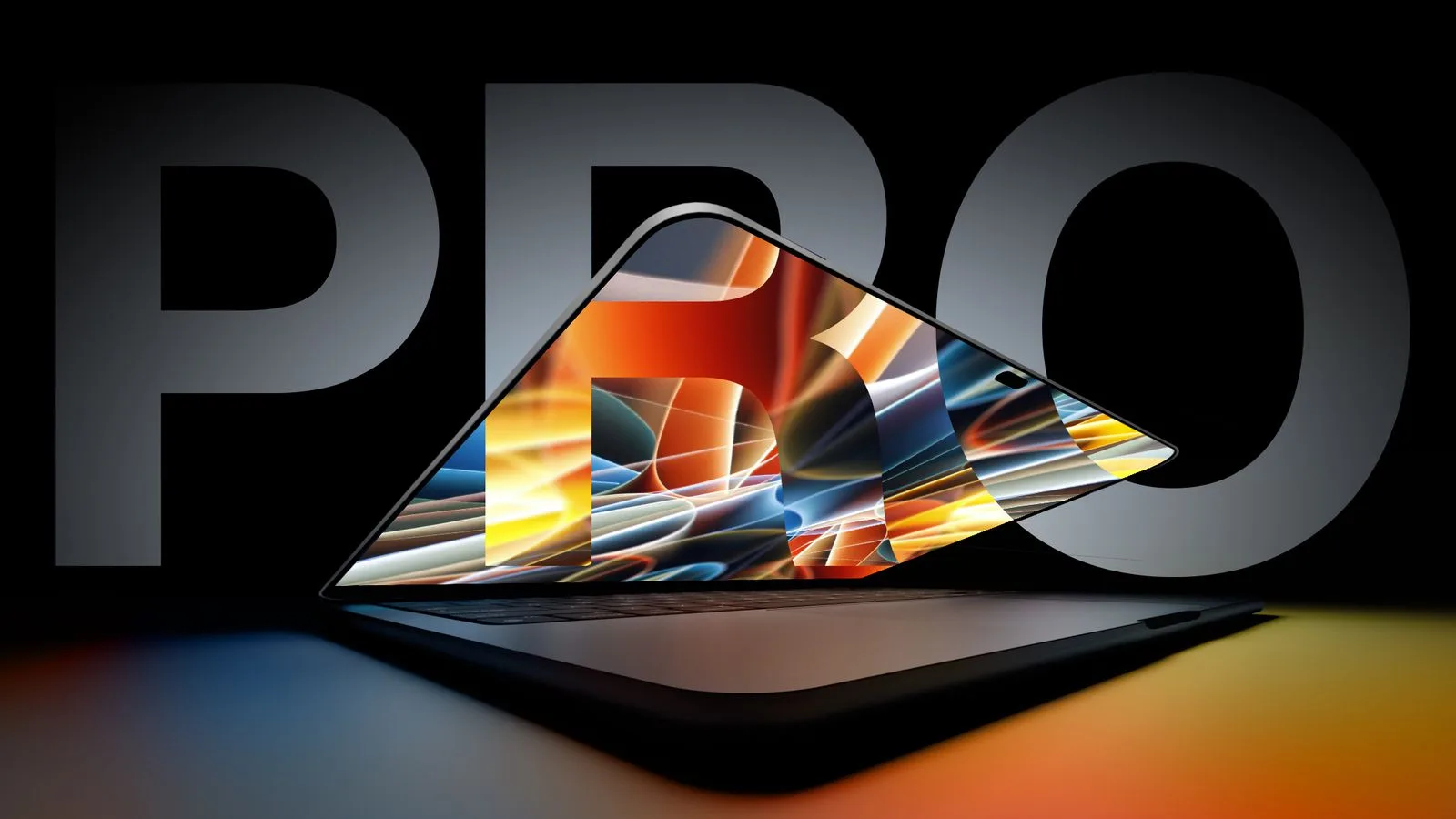
Custom notch-display MacBook concept image. Source: YouTube
For laptops from other brands, touchscreens are not yet ubiquitous, yet most high-end ultrabooks and 2-in-1 convertibles already come equipped with them. New entrants such as HarmonyOS PCs and Googlebooks even feature native touch support across both hardware and operating systems.
However, throughout both the Steve Jobs and Tim Cook eras, Apple explicitly opposed adding touchscreens to the MacBook. So what has changed after more than a decade of Apple’s stance? Or is this simply the new CEO’s “first three fires” to shake things up?
Why the MacBook rejected touchscreens: not stubbornness, but an interaction trade-off
The touchscreen is already a very mature hardware technology.
Going back to Surface RT, the Windows ecosystem has repeatedly pushed for touch-enabled laptops over the past decade. While touch on Windows has never won widespread acceptance among consumers, many premium ultrabooks and 2-in-1 convertibles still ship with touchscreens.
HarmonyOS PCs and the latest Googlebooks (Android-based) naturally treat multi-touch as a native, standard feature. All HarmonyOS PCs and the first five OEM Googlebook models include touchscreens — even the Dell XPS GoogleBook with its LCD panel.
For these devices, touchscreen inclusion is first and foremost dictated by their technical roadmap and software ecosystem.
To be fair, the industry and users alike have long debated whether laptops should adopt touch input.
Apple once had a clear answer to this question.
Back in 2010, at the keynote introducing the new MacBook Air and Mac OS X Lion, Jobs talked about how the Mac drew inspiration from the iPad, and explained why Apple would not put multi-touch directly onto a computer display. He stated Apple had run extensive user tests: vertical touch surfaces look impressive during demos, but they cause fatigue after short use, and prolonged use strains users’ arms.
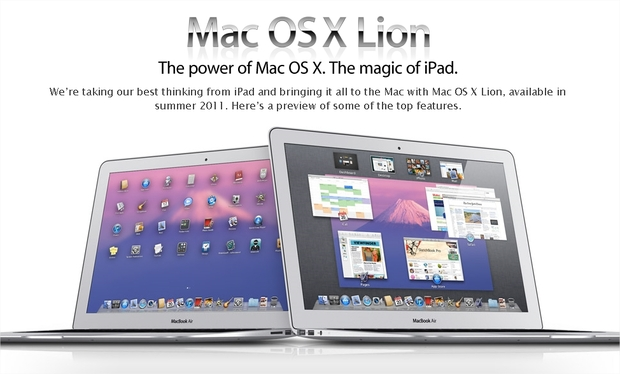
Apple therefore chose to focus on the trackpad within easy reach, maximizing the strengths of multi-touch interactions.
This philosophy even extended to the Touch Bar. Apple opted to add a touch display panel above the MacBook Pro keyboard to replace the traditional function keys, rather than implementing touch on the main screen.
Even eight years later, Craig Federighi, Apple’s Senior Vice President of Software Engineering, still rejected the idea of touchscreens on Macs. His reasoning was that Mac’s ergonomics are built around users resting both hands on the desktop surface; lifting one’s arm to tap the screen quickly leads to fatigue. Touchscreen laptops from competitors also failed to deliver a compelling enough experience to push Apple to follow suit.
So fast-forward to 2026: what has changed? The issues Steve Jobs highlighted all those years ago still exist today.
Users and software developers also have their concerns. Dense spreadsheet cells, tightly packed timelines and buttons in video editors, and tiny control handles in image software all demand precise pointer input. Fingers obscure on-screen targets and struggle to reliably distinguish between small, closely-spaced controls. Scaling all these elements up sacrifices content that could otherwise be visible at a glance, hurting the efficiency and usability of mouse-and-trackpad workflows.
Apple recalculates the interaction equation for the Agent era
At WWDC 2020, Apple announced an ecosystem shift: Macs would adopt Apple Silicon, unifying the architecture across mobile and desktop devices.
We all know what happened next. M-series Macs were an unprecedented hit, bringing sweeping ecosystem changes alongside their success.
Macs can now run compatible iPhone and iPad apps, with developers deciding whether to distribute those apps via the Mac App Store. Meanwhile, the iPad gained trackpad support long ago. Apple’s own design guidelines treat the pointer as an additional input method on iPad, allowing it to change shape and feedback based on on-screen content.
If a touch-first device can be augmented with a keyboard and pointer for fine-grained work, by the same logic, a keyboard-and-pointer-first computer can also make room for finger input.
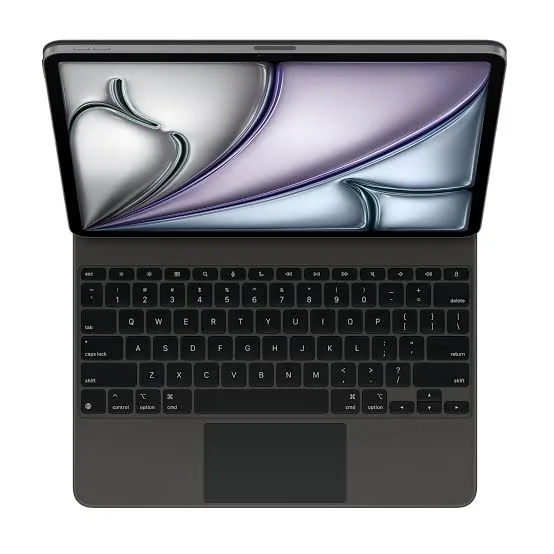
This does not require the Mac and iPad to become identical products. Laptops can retain their own chassis, windows, software and workflows, with touch simply added as an extra capability. Plenty of differences remain between the two product lines, so there is no need to hinge everything on whether the screen can be touched.
This shift also gives Apple room to refine certain experiences. Swiping through photos directly, tapping a spot on a map to show someone nearby, or pausing a video when your hand is already near the screen — these can all be useful interactions. They are brief; you do not need to hold your arm aloft continuously, nor does touch need to carry entire work sessions.
Of course, all these tasks can be done via the trackpad. So why add another input method? Touch’s strength lies in direct correspondence: the spot your finger touches is exactly where you want to act on the display. It skips the step of locating the cursor and moving it into position.
More importantly, we are now living through the explosive rise of AI Agents.
If AI can execute sequences of actions on our behalf, users may devote more energy to selecting targets, stating requests and reviewing outcomes. Imagine several photos on screen: you pick three of them and say, “Turn these into a presentation slide,” leaving the layout work to AI. In this scenario, selecting photos is a quick gesture; your finger does not need to hunt through complex menus for functions afterward.
Touch stands to benefit greatly from this paradigm shift. It lets you directly point to “this one” or “right here,” then pull your hand back. Tasks that once demanded repeated manipulation of tiny controls can be handed off to Agents, making touch’s precision limitations far less prominent.
Correspondingly, as Agents gain greater autonomous capabilities, the natural interaction brought by touch plus voice has the potential to completely transform laptop UX. It both lowers the barrier to operation and boosts productivity — a natural outcome of this evolution.
Googlebook’s Magic Pointer serves as a ready example. Google demonstrated its use case: shaking to bring up Gemini, pointing at on-screen content for suggestions, or selecting two images to combine. New AI interactions can grow naturally from product forms we already know well.

Of course, “touch” itself is only the starting point.
Engineers already have solid solutions for touchscreens on laptops. Huawei, for instance, has brought over many screen technologies from smartphones, including nano-etching processes for anti-glare treatment, AR anti-reflective coatings, and scratch-resistant oleophobic layers, addressing several real-world pain points of touch displays.
With its tight control over hardware and software, Apple could standardize input feedback, refine menus, and gradually push developers to add compatibility. Still, it must tackle numerous challenges: screen wobble when tapped, fingerprint smudges, and display quality trade-offs, to name a few.
Some Googlebook users have already pointed out that right-click behavior, text selection and other controls in certain apps do not follow desktop conventions. These are user reports tied to specific applications and do not represent all models, yet they serve as a clear reminder for manufacturers: running mobile apps on PCs is one thing; making them work well with desktop-style input is another. Google also requires developers to support freely resizable windows and test mouse, trackpad and keyboard interactions.
Apple boasts a mature desktop ecosystem plus years of experience building touch interfaces, giving it a strong head start. The catch is that users do not rely solely on Apple’s first-party software. Even if Finder and Safari handle finger input smoothly, hover tooltips, right-click menus, drag-and-drop and text selection in third-party apps will not automatically become touch-friendly.
For every application, developers still need to decide how to adapt their software for both touch and pointer input.
Based on existing leaks, Apple plans a relatively restrained approach. Per Gurman’s earlier reporting, the touchscreen MacBook Pro will preserve the familiar desktop experience and let users switch between touch and pointer input. For example, tapping the menu bar with a finger brings up larger, finger-friendly controls, while pinch-to-zoom and inertial scrolling will be supported. This describes the design direction of an unreleased product; real-world performance will have to wait for hands-on testing.
In addition, touch support adds thickness and weight to the display. That explains the industry’s shift toward thinner, lighter OLED panels. The new MacBook Pro will mark the first Mac with an OLED screen, though the device will most likely carry a higher price tag. If MacBook Pro buyers may shrug off this premium, what about MacBook Air users?
At the end of the day, everything hinges on whether MacBook’s touch interactions deliver meaningful improvements in experience — and whether customers are willing to pay for them.